The humminbird helix 7 has quickly become a must-have for serious anglers in 2025. Its blend of advanced technology and user-friendly design has earned it a loyal following on lakes and rivers everywhere.
Looking to get the most out of your next fishing trip? This guide dives deep into the latest features, expert setup tips, and real-world advice for using your humminbird helix 7 to its full potential.
Whether you’re brand new to fish finders or a seasoned pro, you’ll discover key features, step-by-step setup, pro usage tips, and proven ways to boost your catch rates. Get ready for straightforward, actionable insights that will help you find more fish and enjoy every moment on the water.
Humminbird Helix 7 Overview: What’s New for 2025
The humminbird helix 7 is making waves in 2025 with a fresh round of hardware and software updates. Anglers are buzzing about the new ultra-bright HD display, which offers sharper detail and improved sunlight visibility compared to previous years. A faster processor means less lag when flipping through sonar or mapping screens, so you’ll spend more time fishing and less time waiting. Humminbird has expanded networking, letting you link more units and accessories with ease. Early testers love the streamlined menu and enhanced mapping. For an in-depth comparison to earlier models like the G3N and G4N, check out this Humminbird Helix 7 G3N Review, which highlights just how far the series has come.
Key Model Updates and Enhancements
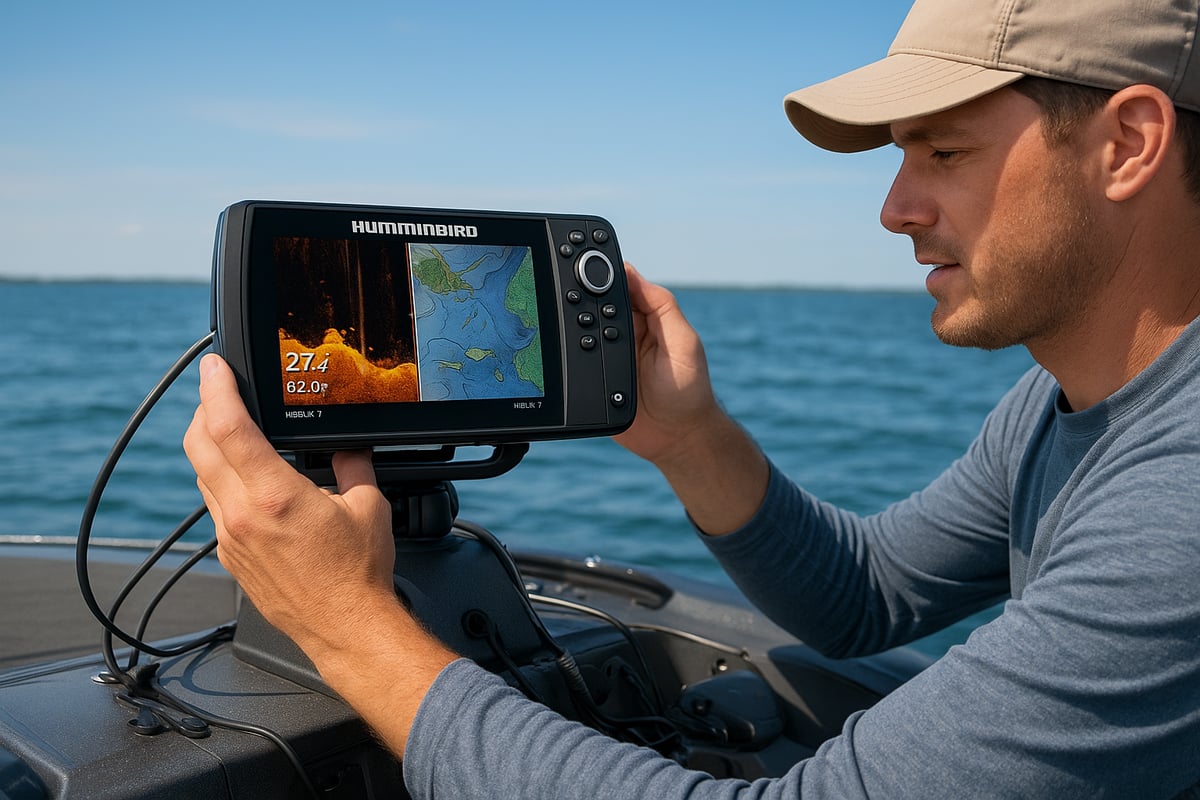
The 2025 humminbird helix 7 stands out with its upgraded HD display and a more powerful processor. The screen is now brighter and easier to read, even on the sunniest days. Faster menu navigation means you can switch between sonar, maps, and settings without missing a beat. Networking is now more robust, allowing seamless integration with newer Humminbird accessories and expanded mapping options. The unit is also fully compatible with future-ready features, ensuring your investment lasts. Compared to the G3N and G4N, the 2025 version is noticeably quicker and more responsive. Early user feedback praises the intuitive interface and increased reliability, making this upgrade a smart choice for both weekend anglers and pros.
Core Features at a Glance
The humminbird helix 7 packs industry-leading sonar and navigation into a rugged, water-resistant unit. Dual Spectrum CHIRP sonar delivers crisp fish arches and accurate depth readings. MEGA Side Imaging and Down Imaging reveal structure and fish with incredible clarity, helping you find more targets in less time. Built-in GPS ensures precise navigation, while mapping options include LakeMaster, CoastMaster, and AutoChart Live for custom charting. Bluetooth, Ethernet, and NMEA 2000 support keep you connected to your boat’s network. The menu is user-friendly, with customizable views and quick shortcuts for your favorite layouts. Durable construction means the unit stands up to tough conditions season after season.
Model Variants and Package Options
When shopping for a humminbird helix 7, you’ll find several variants to fit your style. Models include CHIRP GPS, Side Imaging GPS, and Down Imaging GPS, each offering specific sonar capabilities. Standard packages usually come with a transducer, mounting hardware, and all necessary cables. Advanced bundles may add upgraded transducers or networking modules. Prices range from budget-friendly to premium, depending on features. You’ll get solid value for money, especially given the tech packed in. Buy from authorized dealers or trusted online stores to ensure support and warranty coverage. There’s a humminbird helix 7 setup for every angler, whether you’re new to electronics or looking to upgrade your current system.
Step-by-Step Guide: Setting Up Your Humminbird Helix 7
Getting your humminbird helix 7 ready for action is simple when you break it down step by step. Whether you’re new to fish finders or just upgrading your gear, a clean setup ensures you get the best performance on the water.
Unboxing and Initial Setup
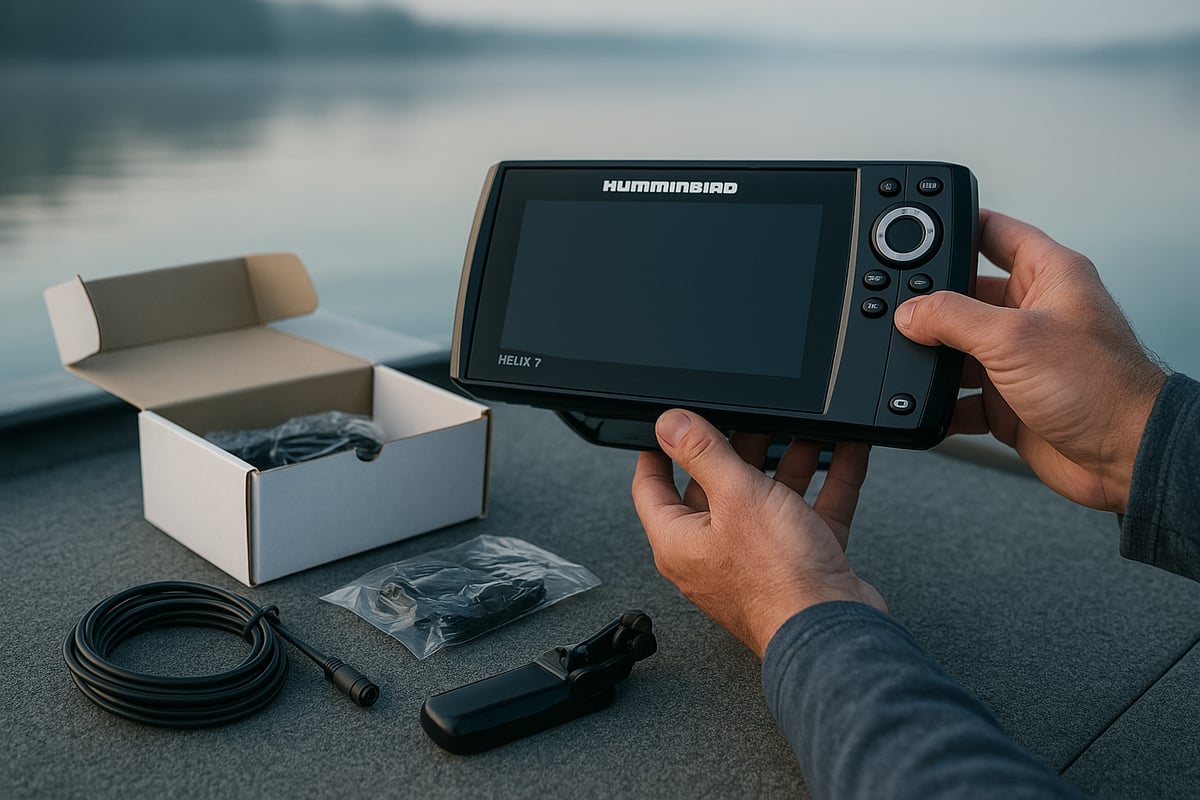
When you open your humminbird helix 7 box, you’ll find the main display unit, a transducer, mounting bracket, power cable, and hardware for installation. Take a moment to lay out all parts and check against the manual, making sure nothing’s missing.
Handle your humminbird helix 7 with care, especially the screen and connectors. Choose a mounting option that suits your boat—gimbal mounts are popular for flexibility, while flush mounts offer a sleek look. RAM mounts are great for added adjustability.
Before installing, plan your power source. The humminbird helix 7 typically runs on a 12V battery. Use marine-grade wire and keep cable runs tidy to avoid tangles or snags. Secure cables with zip ties and avoid sharp bends that could cause wear over time.
Transducer Installation and Placement
Getting the transducer right is key for clear readings on your humminbird helix 7. Most anglers mount it on the transom, but trolling motor and in-hull options work for certain setups. Match your mount to your boat style for the best results.
Make sure the transducer sits level with the waterline and is positioned deep enough to stay underwater at speed. Avoid placing it near strakes or steps that might cause turbulence or bubbles.
Double-check the angle so sonar beams hit the water straight. Test the signal by powering up your humminbird helix 7 at the dock. If you see interference or weak returns, adjust the placement until you get consistent, clear images.
First-Time Power-Up and Configuration
Now, fire up your humminbird helix 7 for the first time. The boot sequence walks you through language, units, and time zone setup. Once powered, let the GPS lock in and calibrate—this may take a few minutes in an open area.
Set up user profiles and adjust preferences for brightness, contrast, and sound. Before heading out, check for the latest software updates to keep your features current and bug-free. The Humminbird Helix 7 Quick Reference Guide is handy if you want a visual walkthrough of setup steps.
A quick scan for updates and a test of the menu system will help you get comfortable with your new unit before your first trip.
Essential Networking and Accessory Integration
To unlock the full potential of your humminbird helix 7, connect it with compatible networks and accessories. Hook up to Ethernet or NMEA 2000 to share data with other devices on your boat. This setup is straightforward if you follow the included diagrams.
Pairing your humminbird helix 7 with a Minn Kota trolling motor allows for advanced navigation features like spot-lock and route following. You can also integrate MEGA Live or 360 Imaging for a real-time view of fish and structure.
Take a few minutes to test each connection. Once everything is linked and working, your humminbird helix 7 becomes the hub of your fishing electronics, ready for a productive day on the water.
Advanced Sonar and Imaging Features Explained
Unlocking the full potential of the humminbird helix 7 means understanding its advanced sonar and imaging tools. Whether you want to find hidden structures or distinguish fish from bait, these features give you a serious edge out on the water.
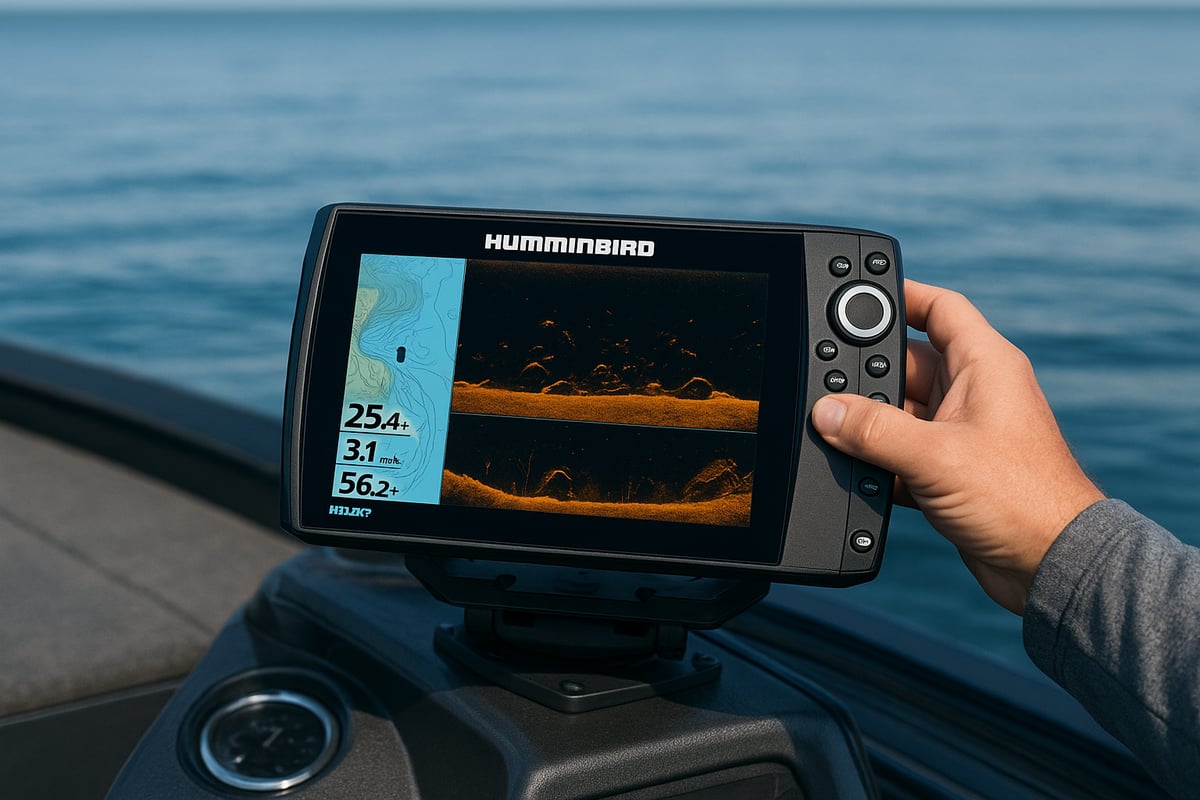
Dual Spectrum CHIRP Sonar: Clarity and Depth
The humminbird helix 7’s Dual Spectrum CHIRP sonar is like having x-ray vision underwater. It sends out a wide range of sonar frequencies, giving you clearer pictures, better target separation, and more accurate fish identification. Want to spot a grouper lurking on the bottom? Adjust the frequency for the depth and water type, and you’ll see arches that separate fish from structure with ease.
Fine-tune sensitivity to match the day’s conditions. If you want to put these skills to the test, check out the Black Grouper fishing guide for practical tips on using your sonar to target specific species. With the humminbird helix 7, you’ll read the difference between a brush pile and a trophy fish in no time.
MEGA Side Imaging & Down Imaging
With MEGA Side Imaging and Down Imaging, the humminbird helix 7 gives you a bird’s-eye view beneath and beside your boat. Side Imaging lets you scan huge swaths of water, revealing drop-offs, weed beds, or schools hiding in the shadows. Down Imaging zooms in for photo-like clarity right under your hull, perfect for spotting subtle changes on the bottom.
Adjust the range and sensitivity to get crisp images, even in murky water. The MEGA Imaging upgrade means more detail, so you see everything from submerged logs to individual fish. The humminbird helix 7 helps you find those secret honey holes others might motor right past.
Customizing Views and Data Overlays
The humminbird helix 7 makes it easy to tailor your screen to your fishing style. Split the display to show sonar, charts, and imaging side by side, so you never miss a detail. Add overlays for speed, depth, or water temperature, and organize your favorite layouts for quick switching.
Shortcuts and hotkeys put your most-used features at your fingertips. If you’re out at dawn or under bright sun, adjust the color palette for the perfect view. With the humminbird helix 7, your display is as flexible as your fishing tactics.
Mapping and Charting Capabilities
The mapping features on the humminbird helix 7 are built for exploration. Use LakeMaster, CoastMaster, or the built-in Basemap to navigate new waters confidently. AutoChart Live lets you create custom maps as you fish, mapping contours and structure in real time.
Mark waypoints and routes with a tap, making it easy to return to productive spots. The humminbird helix 7 ensures you always have a reliable guide, whether you’re charting a lake or plotting a course offshore.
Pro Tips for Maximizing Your Helix 7 on the Water
Getting the most out of your humminbird helix 7 is all about knowing which tricks make a difference when you’re actually out on the water. Let’s break down some field-tested ways to fine-tune your fish finder, read the screens like a pro, and keep your gear running smooth all season.
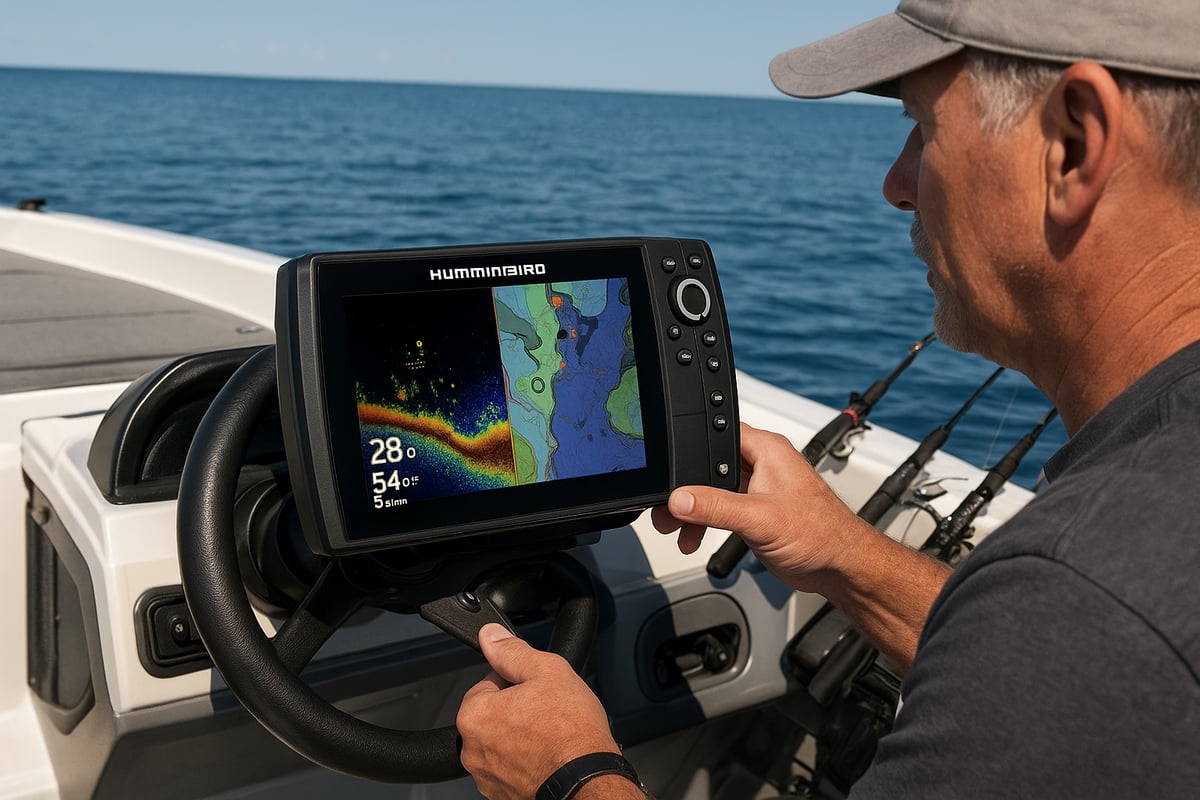
Expert Settings for Different Conditions
Dialing in the right settings on your humminbird helix 7 can mean the difference between a slow day and a full livewell. Start by adjusting sensitivity and contrast based on water clarity. If you’re fishing stained water, bump up sensitivity. For clear lakes, try a lower setting.
Use the color palettes that make fish and structure stand out best for your eyes. Set alarms for depth, fish, and water temp, so you never miss a change. Switch between preset modes for shallow or deep water, depending on where you’re fishing. Don’t forget to tweak your setups as the seasons change, and save your favorite combos as custom presets for quick recall.
Interpreting Sonar and Imaging for More Fish
Learning to read your humminbird helix 7 sonar and imaging screens is like picking up a new language. Fish typically show up as strong, arch-shaped returns, while bait clouds look fuzzier. Structure, like rocks or trees, will have harder edges.
Watch for fish behavior, too. Suspended marks might mean active feeders, while those tight to the bottom could be resting. Use the zoom and range tools to zero in on targets or get a wider perspective. Tournament anglers often track moving schools by watching how fish move across multiple passes. Soon, you’ll spot the difference between a trophy catch and a patch of weeds.
Efficient Waypoint and Route Management
Marking productive spots with your humminbird helix 7 is easy—just tap the waypoint button when you see something interesting. Organize your waypoints by species or trip, so you can quickly find your go-to locations. Creating and following routes helps you troll or drift along productive lines, making the most of your time.
Want a real-world spot to practice? Try plotting the Jose Cuervo 1 Mooring Buoy spot and use your Helix 7’s mapping tools to plan your approach. Share waypoints with other Humminbird units, and always back up your data before a big trip.
Maintenance and Troubleshooting
Keeping your humminbird helix 7 in top shape is simple. Wipe the display with a soft, damp cloth after each outing to clear away water spots and grime. Regularly check for software updates to unlock new features and keep everything running smoothly.
If you run into issues, start by rebooting the unit or checking cable connections. For stubborn problems, consult the manual or reach out to Humminbird support. A little routine care and quick troubleshooting go a long way toward years of reliable use.
Humminbird Helix 7 vs. Competing Fish Finders
Choosing the right fish finder can feel like picking a new fishing buddy. The humminbird helix 7 stands out, but how does it stack up against the competition? Let’s break it down so you can see what makes this unit a favorite among anglers, and where it might fall short.
Side-by-Side Feature Comparison
When you line up the humminbird helix 7 with similar models from Lowrance and Garmin, a few things jump out:
- Sonar and Imaging: The helix 7’s MEGA Imaging gives you crisp details, making it easier to spot fish and structure. Lowrance and Garmin have strong imaging too, but Humminbird’s clarity is tough to beat.
- Mapping: Built-in LakeMaster and CoastMaster charts give the humminbird helix 7 an edge, especially for those fishing new waters.
- Networking: Ethernet and NMEA 2000 support means it plays well with other gear.
- Value: Feature for feature, the helix 7 often comes in at a competitive price, especially when you factor in the quality of its sonar.
User reviews praise its reliability and performance. Want to keep your unit running at its best? Check out the latest Humminbird Helix 7 Software Updates to make sure you’re getting all the newest features.
Strengths and Weaknesses of the Helix 7
Every fish finder has its high points and trade-offs. Here’s how the humminbird helix 7 shapes up:
Strengths:
- Top-notch imaging and mapping
- Easy-to-use interface and menu system
- Solid build, water-resistant and durable
Weaknesses:
- Screen size may feel small for some
- Accessory costs can add up
- Not the cheapest option out there
Most anglers who want clear imaging, reliable mapping, and a straightforward setup find the humminbird helix 7 hits the sweet spot. Folks needing the biggest screens or lowest price might look elsewhere, but for many, it’s a solid investment.
Choosing the Right Model for Your Needs
Picking the right humminbird helix 7 model depends on your fishing style and priorities. Here are a few things to consider:
- What kind of fishing do you do? (Bass, offshore, ice, etc.)
- What type of boat do you have, and how much space is on your dash?
- Do you need MEGA Imaging, or is basic CHIRP enough?
- Are you planning to network with other devices or trolling motors?
- What’s your budget, and do you plan to add accessories later?
If you want a unit that grows with your skills and setup, the humminbird helix 7 is a flexible choice that covers a lot of water, literally and figuratively.
Humminbird Helix 7 Resources & Support for 2025
Getting the most out of your humminbird helix 7 means knowing where to find reliable help and information. Whether you want to fine-tune your skills or troubleshoot a hiccup, the right resources make all the difference.
Accessing Manuals, Updates, and Tutorials
Start by bookmarking the official Humminbird website for manuals and quick-start guides. You can find step-by-step instructions for everything from initial setup to advanced features. Always check for the latest software updates, which bring new tools and better performance. For example, the Humminbird Helix 7 CHIRP GPS G3N Software Update explains new features and how to install them. Video tutorials are great for visual learners, while community forums and user groups offer real-world tips and quick answers from other anglers. With these resources, your humminbird helix 7 will always be up to date and ready for action.
Warranty, Service, and Authorized Dealers
Protect your investment by understanding the warranty coverage on your humminbird helix 7. Register your product online for faster support. If you ever need a repair, only use authorized service centers to avoid issues with your warranty. When shopping, stick with authorized dealers to guarantee you’re getting the real deal, not a counterfeit. If you’re unsure, the official Humminbird website lists trusted sellers. With the right support, you can fish confidently knowing help is always within reach.
Now that you’ve got the inside scoop on the 2025 Humminbird Helix 7 and all the ways it can level up your fishing game, why not put those tips to the test somewhere new? Exploring local waters is half the fun, and having the right spot can make all the difference. If you’re ready to see what your Helix 7 can really do, check out a list of nearby fishing spots—complete with GPS coordinates and handy details—so you can spend more time catching and less time searching. Let’s make your next trip the best one yet: Find Spots