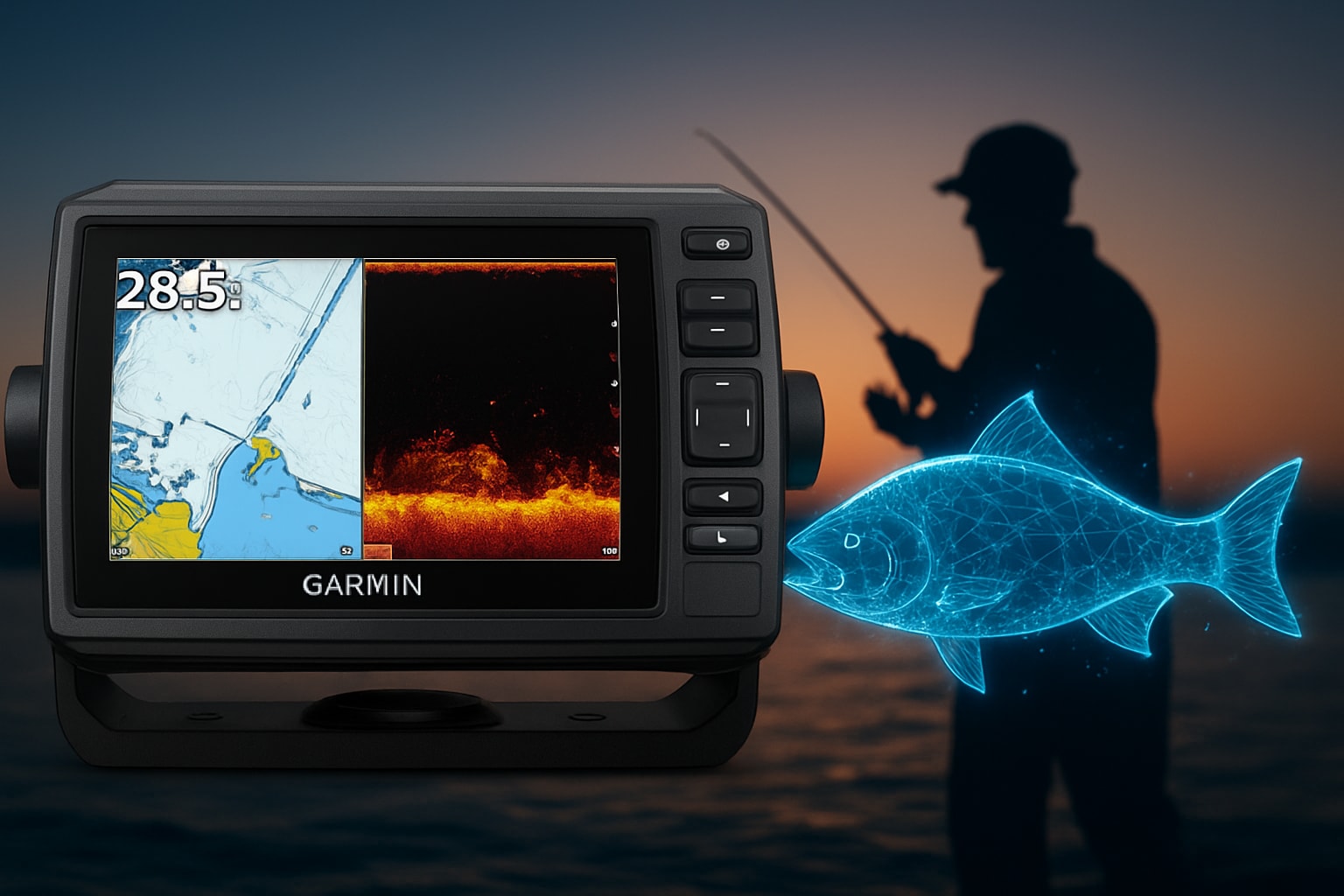
Imagine taking your fishing adventures to the next level with the garmin echomap uhd 93sv. Picture every cast backed by real-time data, helping you find more fish and navigate with confidence in 2026.
This guide is packed with expert insights and the latest best practices to help you get the most out of your device. Whether you are new to advanced sonar or just want to fine-tune your skills, you will find practical tips and step-by-step instructions here.
Get ready to unlock a full overview, a simple installation walkthrough, sonar settings, mapping hacks, smart connectivity, troubleshooting help, and future-ready techniques. Dive in and discover how a few smart moves can turn your next trip into a winning day on the water.
Garmin ECHOMAP UHD 93sv Overview: Features and Benefits
Unlocking the full potential of your garmin echomap uhd 93sv starts with understanding what sets it apart. This device is packed with features that make every fishing trip smarter and more productive. Let’s break down what you get and why it matters.
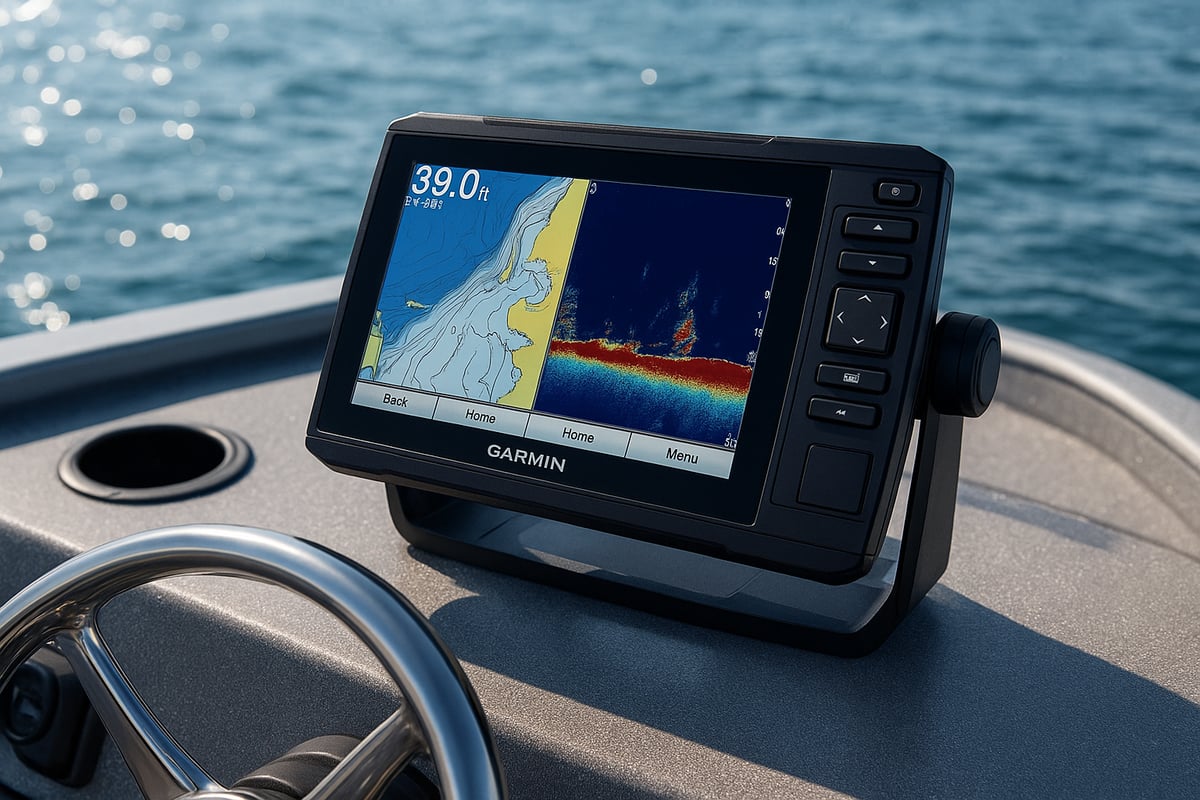
Key Specifications and Display Technology
The garmin echomap uhd 93sv features a vivid 9-inch sunlight-readable touchscreen, offering crisp and clear visuals whether you’re out at dawn or under bright afternoon skies. Its high-resolution display ensures you can easily interpret sonar and maps at a glance. The quick-release bail mount lets you remove the unit swiftly for storage or security.
Built to withstand tough marine environments, this device is water-resistant and rugged. Competing with models like the Lowrance Elite FS 9 and Humminbird HELIX 9, the garmin echomap uhd 93sv stands out for its clarity and durability. For a deeper dive into real-world performance, check out this Garmin ECHOMAP UHD 93sv Review.
Built-In Sonar Capabilities
With support for Ultra High-Definition ClearVü, SideVü, and traditional CHIRP sonar, you get a complete underwater picture. Vivid color palettes make it easy to distinguish fish from structure. The garmin echomap uhd 93sv can scan with up to three frequencies, giving you greater depth and range.
UHD SideVü pushes your reach up to 20 percent farther than previous models. This means you can spot fish and structure that others might miss, helping you make smarter decisions on the water.
Preloaded Mapping and Chart Support
Preloaded with LakeVü g3 inland maps, the garmin echomap uhd 93sv covers over 17,000 U S lakes with detailed 1-foot contours. You can also upgrade to Garmin Navionics plus or add BlueChart g3 for coastal navigation. The worldwide basemap ensures you’re ready for just about any fishing adventure.
Having this level of mapping detail means you can avoid hazards, find underwater features, and always know exactly where you are. Whether you’re exploring a new lake or pushing offshore, detailed maps make a big difference.
Device Networking and Data Sharing
The garmin echomap uhd 93sv makes it easy to share sonar, waypoints, and routes with other ECHOMAP units using Ethernet. It’s compatible with NMEA 2000 and NMEA 0183, so you can integrate with radar, autopilot, or engine systems.
This networking capability is perfect for multi-station setups, letting you coordinate with friends or family on different parts of the boat. Sharing data keeps everyone in sync and maximizes your time fishing.
Smart Features and App Integration
Smart connectivity is a big part of the garmin echomap uhd 93sv experience. The ActiveCaptain app brings wireless updates, smart notifications, and access to community-sourced data. You can manage maps, update software, and sync user data right from your phone.
Integration with the Force Trolling Motor lets you control your boat directly from the display, adding a new level of convenience. Remote management and cloud backup make it easy to keep your device ready and your data safe for every trip.
Step-by-Step Installation and Setup for 2026
Getting your garmin echomap uhd 93sv up and running doesn’t have to be complicated. With a bit of prep and the right approach, you’ll be ready to hit the water in no time. Let’s break the setup down into easy, manageable steps.
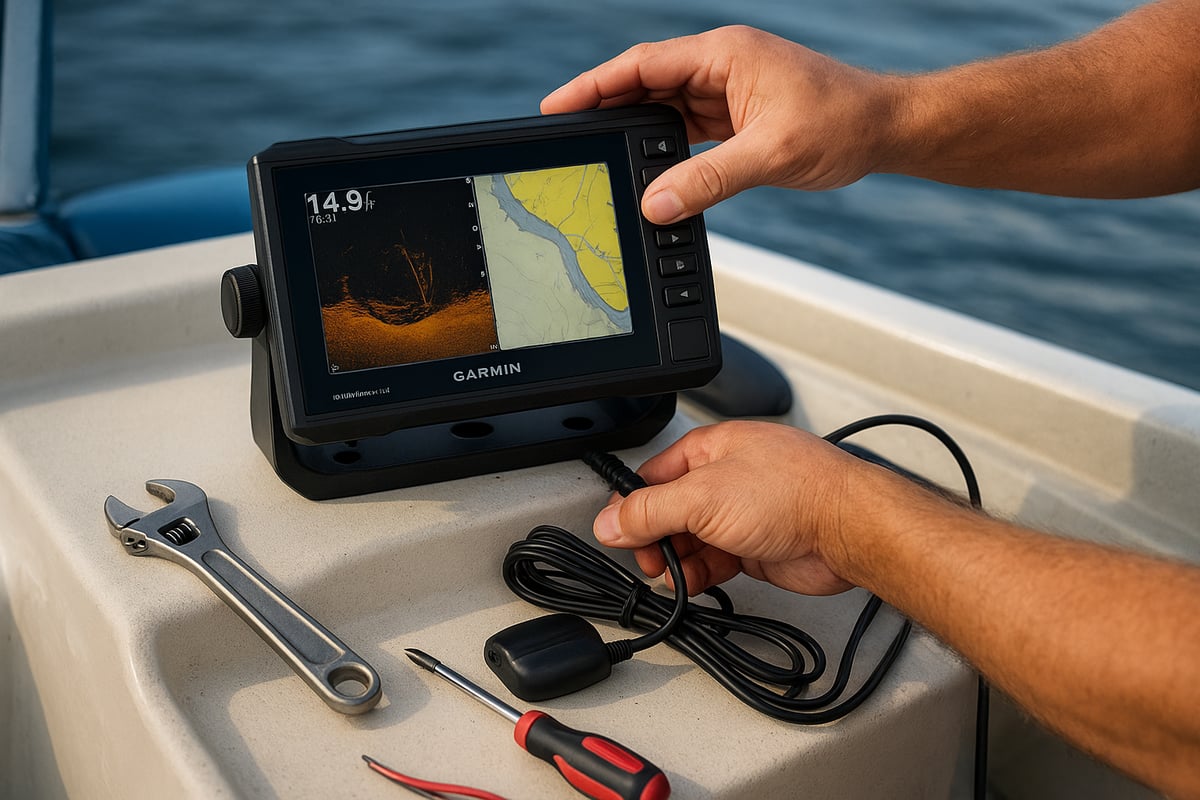
Unboxing and Hardware Preparation
Start by opening your garmin echomap uhd 93sv box and laying out all included parts. You’ll find the display unit, quick-release bail mount, power cable, transducer, and mounting hardware. Check everything off before you get started.
Pick a spot on your console or dash that’s easy to see and reach while boating. Secure the quick-release mount firmly, making sure it’s level and the connections are protected from water. For a full step-by-step visual reference, check out the Garmin ECHOMAP UHD 93sv Installation Guide.
Powering Up and Initial Configuration
Now that your garmin echomap uhd 93sv is mounted, connect it to a 12V DC power supply. Use the right fuse, usually 3A, to protect your gear. Double-check your wiring before flipping the switch.
On the first boot, select your language, run system checks, and calibrate the touchscreen. Set up a user profile to save your custom settings for future fishing trips.
Transducer Installation and Alignment
Choosing the best transducer spot is key for accurate reads on your garmin echomap uhd 93sv. Mount it on the transom, trolling motor, or through-hull, depending on your boat style.
Follow the included instructions to reduce turbulence and keep the transducer level. Align the SideVü and ClearVü sensors to maximize image clarity and get crisp details of what’s under and beside your boat.
Software and Chart Updates
Keep your garmin echomap uhd 93sv current by connecting it to Wi-Fi or using your mobile device with the ActiveCaptain app. Download the latest software and map updates so you’re always fishing with up-to-date charts and features.
If you hit a snag, restart the device or check your connection. Updated charts help you stay within 2026 fishing regulations and find the best structure.
System Network and Accessory Integration
Expand your setup by adding compatible devices through NMEA 2000 or NMEA 0183 networks. Link radar, autopilot, or VHF radio for a fully connected system.
If you have more than one garmin echomap uhd 93sv, use Ethernet to share sonar, waypoints, and routes between units. Set up Wi-Fi and Bluetooth to sync with your phone or tablet, making trip planning and data sharing a breeze.
Mastering Sonar: Pro Settings and Interpretation
Unlocking the full potential of your garmin echomap uhd 93sv starts with mastering its sonar technology. Whether you’re chasing bass in shallow lakes or hunting grouper offshore, understanding these features lets you fish smarter, not harder. Let’s break down how to get pro-level results from your display.
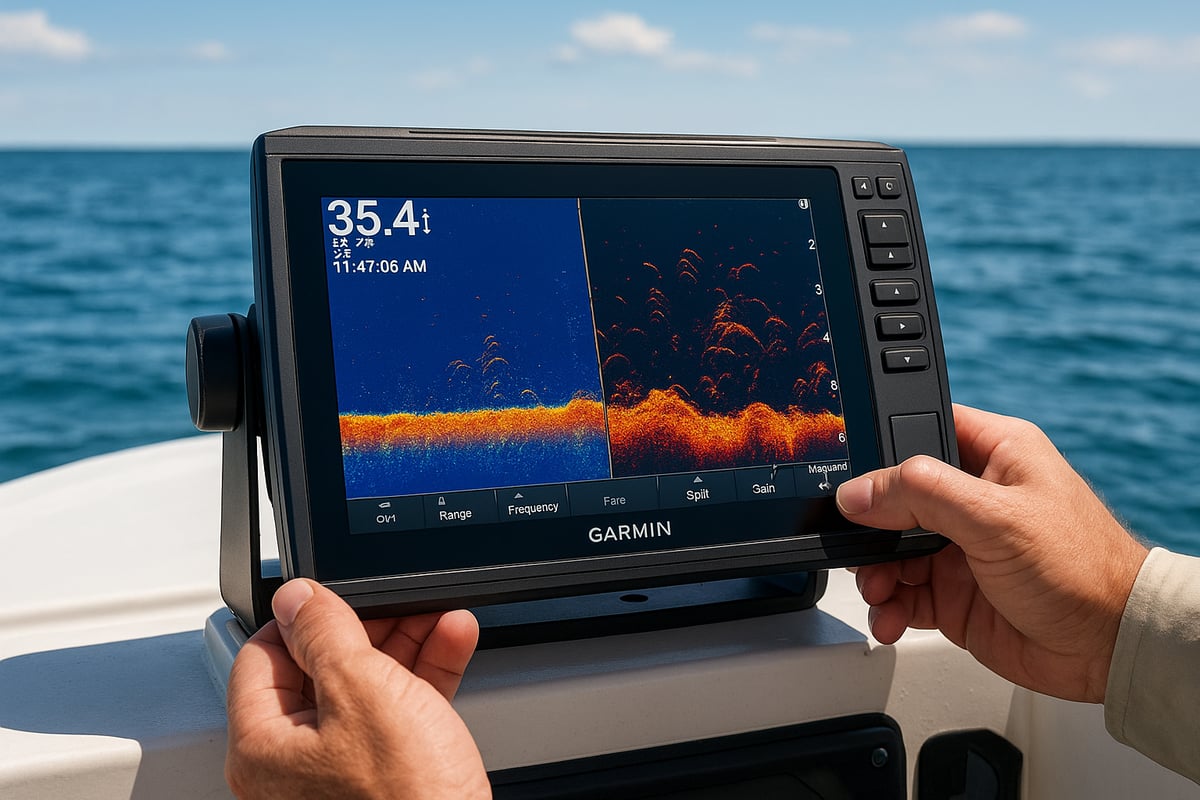
Understanding Sonar Modes: CHIRP, ClearVü, and SideVü
The garmin echomap uhd 93sv gives you three powerful sonar modes. CHIRP is your go-to for crisp fish arches and depth readings. ClearVü delivers near-photo clarity of what’s directly under your boat, making it perfect for spotting structure like logs or rocks. SideVü, on the other hand, scans wide to the left and right, letting you see fish and features you might miss with standard sonar.
For freshwater fishing, ClearVü helps pinpoint submerged brush piles or drop-offs. In saltwater, SideVü shines when locating bait schools or tracking fish along reef edges. Knowing when to switch modes helps you adapt to different water types and target species with confidence.
Customizing Sonar Settings for Local Conditions
Dialing in your garmin echomap uhd 93sv for the day’s conditions makes a big difference. Start by adjusting frequency—higher frequencies show more detail in shallow water, while lower ones are better for depth. Sensitivity and gain settings let you highlight fish returns without clutter from debris.
Fine-tune color palettes to boost contrast in murky water or brighten targets in clear lakes. Increase range when scanning deep reservoirs, or narrow it for small ponds. If you want more expert advice, check out these Advanced Garmin Fishfinder Techniques for tips on customizing your sonar like a pro.
Interpreting Sonar Returns Like a Pro
Reading sonar isn’t just about spotting fish icons. On the garmin echomap uhd 93sv, fish show as arches, while bait schools look like clouds or clusters. Hard bottom, rocks, and submerged timber have unique color signatures, especially with the vivid palettes.
Watch for false returns caused by turbulence or weeds. Reduce noise by adjusting the filter settings or repositioning the transducer. With practice, you’ll quickly tell the difference between a brush pile and a school of crappie.
Recording and Reviewing Sonar Data
The garmin echomap uhd 93sv lets you record sonar logs for later review. This is perfect for marking waypoints on hidden humps or drop-offs. During playback, pause and zoom in to analyze fish positions or bottom changes.
Export your sonar data to a PC for deeper study, or share logs with friends before your next tournament. Reviewing past trips helps you spot patterns and refine your strategy for even better results.
Troubleshooting Common Sonar Issues
Even the best gear can hit a snag. If your garmin echomap uhd 93sv shows weak returns or blank screens, check the transducer alignment and cable connections. Interference from nearby electronics can also cause problems—move cables apart or adjust the frequency.
For persistent issues, try a system reset or update the software. Regularly clean the transducer face and inspect for damage. Keeping your sonar in top shape means more time fishing and less time fiddling with settings.
Advanced Mapping and Navigation Techniques
Unlocking the mapping power of the garmin echomap uhd 93sv can turn every trip into a precision-guided adventure. Whether you fish the same waters or chase new horizons, getting the most from these features means more fish in the boat and less time guessing.
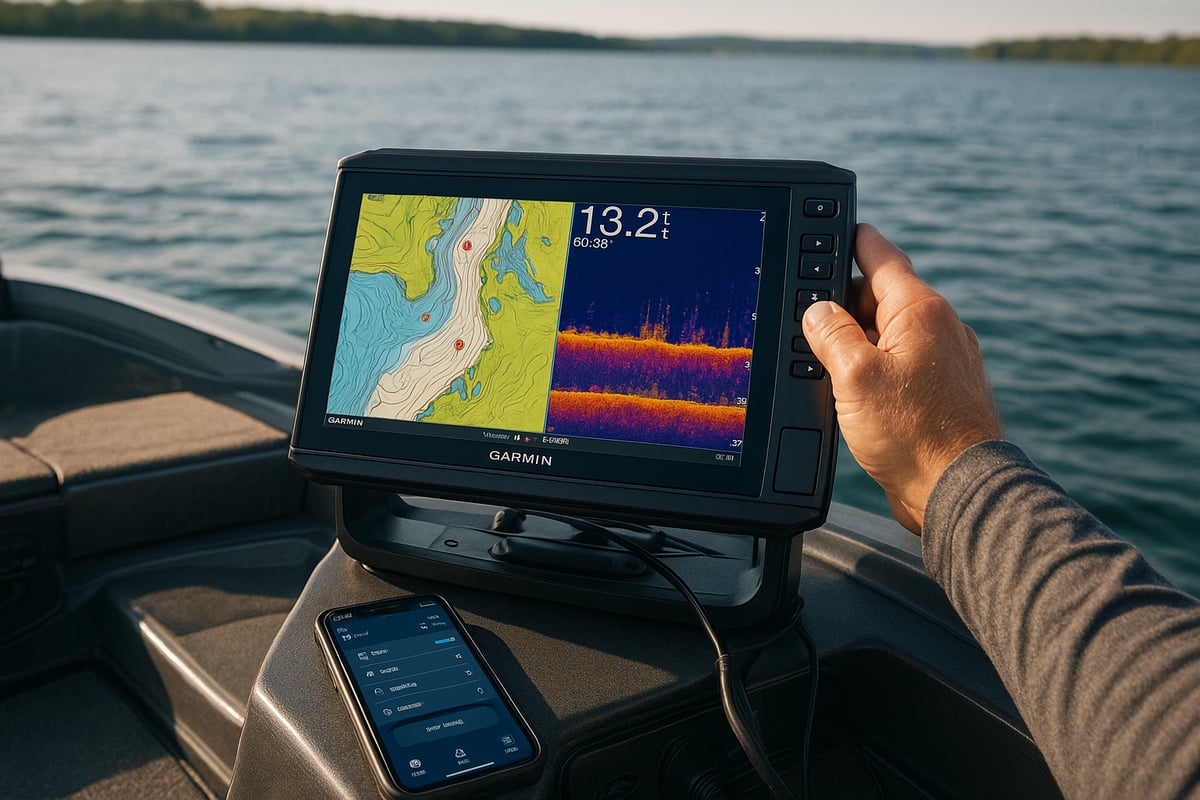
Leveraging Preloaded and Custom Maps
The garmin echomap uhd 93sv comes loaded with LakeVü g3 and Garmin Navionics+, giving you detailed coverage of thousands of lakes and coastal waters. These maps offer 1-foot contours, helping you pinpoint drop-offs and fish-holding structures fast.
Updating your maps is simple. You can download new charts or upload your own, ensuring your device always reflects the latest water conditions. Want to map uncharted territory? The Quickdraw Contours feature lets you create custom maps on the fly, ideal for hidden coves or remote lakes.
For more mapping and sonar strategies, check out these Fishing tips and sonar guides to sharpen your edge.
Creating and Managing Waypoints, Routes, and Tracks
Marking fishing spots, underwater hazards, or that secret dock is a breeze with the garmin echomap uhd 93sv. Just tap the screen to drop a waypoint and organize them by color or trip.
Planning routes is just as simple. Chart out your path for a tournament or a casual day, and the device will keep you on track. You can also record tracks as you move, making it easy to retrace your steps or share your best runs with friends.
Using Quickdraw Contours for Custom Mapping
Quickdraw Contours is a game changer on the garmin echomap uhd 93sv. As you cruise, the unit draws real-time 1-foot contour maps of unmapped areas. This is perfect for finding hidden ledges, humps, or drop-offs that others miss.
You can save and edit these maps, then share them with the Garmin Quickdraw Community. With over 2 million shared maps, you’ll always have fresh insight on new water. It’s like crowdsourcing the best fishing intelligence.
Integrating with ActiveCaptain for Community Data
With ActiveCaptain, your garmin echomap uhd 93sv connects wirelessly to your phone or tablet. This brings a treasure trove of community-sourced fishing spots, hazards, and marina info right to your fingertips.
Sync your waypoints and user data between devices and the cloud. Download user-submitted fishing spots for new lakes. Stay informed and never fish blind again.
Smart Navigation Features for 2026
Navigate smarter than ever using Auto Guidance+, which plots the safest, most efficient route based on your boat’s draft and local hazards. Set up shallow water alerts and safety alarms to avoid trouble before it starts.
Navigation overlays now include tide and current predictions, giving you the edge when timing your moves. With these features, your garmin echomap uhd 93sv is ready for anything the water throws at you.
Connectivity, Networking, and Smart Features
Unlocking the full power of your garmin echomap uhd 93sv starts with its robust connectivity and smart features. Whether you are fishing solo or coordinating with a crew, these tools can make every trip smarter and more productive.
Device Networking and Data Sharing
Seamlessly link multiple garmin echomap uhd 93sv units using Ethernet to share sonar, waypoints, and routes across stations. This is a game-changer for teams or anglers mapping Top Miami offshore fishing spots together. Integration with NMEA 2000 and NMEA 0183 networks lets you connect engine data, sensors, and more. Sharing data between units ensures everyone on board has access to the latest info, making coordination easy and efficient.
Wireless Integration with Mobile Devices
Pair your garmin echomap uhd 93sv with smartphones or tablets using Bluetooth and Wi-Fi. With the ActiveCaptain app, you can update maps, receive notifications, and plan trips anytime. Syncing waypoints and routes between your device and mobile keeps your data handy, whether you are on the water or prepping at home. By 2025, most new users rely on this mobile integration for smoother updates and trip planning.
Integration with Trolling Motors and Other Accessories
Take control on the water by connecting the garmin echomap uhd 93sv to the Force Trolling Motor. Steer, anchor, and follow routes right from your display. Add compatible radar, autopilot, or VHF radio for complete navigation support. Features like automated anchor lock and route following help you stay focused on fishing, not fiddling with controls.
Cloud Sync and Backup Features
Protect your waypoints, routes, and user data by backing up to the Garmin cloud. If you ever upgrade or reset your device, restoring your settings is a breeze. This is especially valuable for tournament anglers who cannot afford to lose hard-won data. Cloud backup means your key information is always safe and ready when you need it.
Future-Proofing: Preparing for 2026 Updates
Keep your garmin echomap uhd 93sv ready for the future by staying on top of software and chart updates. Garmin regularly announces new features and accessory support, so checking for updates ensures you will not miss out. Early adopters can take advantage of the latest sonar modules or mapping tools as soon as they launch, keeping your setup sharp for seasons to come.
Troubleshooting and Maintenance: Expert Solutions
Keeping your garmin echomap uhd 93sv in top shape means fewer surprises on the water and more time fishing. Let’s break down the best ways to maintain, troubleshoot, and protect your device so it’s always ready for action.
Routine Maintenance for Peak Performance
A little care goes a long way with the garmin echomap uhd 93sv. Start by gently cleaning the display with a soft, damp cloth to avoid scratches. Inspect connectors and cables for corrosion or debris. If you’re fishing saltwater, use dielectric grease on connectors to prevent corrosion.
When storing the unit for the season, disconnect it and keep it in a dry, temperature-stable spot. Always use a screen protector and sun cover to guard against UV damage and accidental bumps.
Diagnosing and Fixing Common Issues
If your device won’t power up, check the fuse, wiring, and battery voltage first. For touchscreen hiccups, try recalibrating or performing a soft reset. Sonar image looking fuzzy? Inspect the transducer alignment and cable for any damage.
Quick fixes:
- Double-check power connections
- Reseat the SD card
- Adjust the transducer position
Staying proactive helps you avoid most common headaches.
Software and Firmware Troubleshooting
Occasionally, the garmin echomap uhd 93sv might run into update snags. If updates fail through the ActiveCaptain app, try using an SD card for manual updates. Rolling back to a previous software version is an option if new updates cause issues.
For more advanced settings and troubleshooting, the ECHOMAP UHD Owners Manual – Advanced Sonar Settings is a go-to resource for step-by-step guidance.
Maximizing Device Longevity
Protect your garmin echomap uhd 93sv by mounting it securely and avoiding rough handling during transport. Use a padded case if you’re moving it between boats. Clean off splashes and residue after every trip.
Don’t forget to check for firmware updates regularly to keep features fresh and compatibility strong. A few minutes of care can add years to your device’s life.
Expert Support and Warranty Considerations
If you hit a snag that’s tough to solve, reach out to Garmin’s support center or browse their community forums. Know your warranty—it typically covers repairs for hardware issues in 2026. Most garmin echomap uhd 93sv repairs are quick, with average turnaround times of just 5 to 7 business days.
Keeping receipts and documenting any repairs will help if you ever need to file a warranty claim.
Now that you’ve got the scoop on making the most of your Garmin ECHOMAP UHD 93sv for 2026, why not put those pro tips into action and find your next fishing adventure? We all know that the right gear is only half the battle—you also need the perfect spot. Whether you’re after saltwater giants or freshwater bass, there’s a world of possibilities waiting nearby. If you’re ready to explore new waters and see how all those expert settings pay off, check out Find Spots and discover top fishing locations across the U S with all the details you need for your next trip.